
2027 Benefits Changes

2027 Annual Benefits Enrollment: October 26 – November 13, 2026
It’s your once-a-year opportunity to review your benefits, consider your coverage needs, and make changes or enroll for 2027 benefits.
On this page, you will find information about 2027 benefits changes and helpful reminders as you get ready to enroll. Review the information here and see more details about your 2027 benefits in the 2027 Benefits Guide (ES).
Watch the 2027 Annual Benefits Enrollment Video
Review Your Choices
Explore the online benefits guide and the mailer sent to your home.
Add Your Personal Email to Workday
If you haven’t already, add your personal email to your Workday profile today so you receive important benefits and coverage updates, especially if you’re on leave of absence or don’t have a Sysco email. It can take up to 48 hours to show in the online Sysco Benefits Center, but your personal email can manually be added there as well.
Once you've added your personal email in Workday, log in to the online Sysco Benefits Center and select your personal email address as your preferred email. You can also opt in to text messaging.
Click here for more information.
Enroll by November 13
You can make changes to your elections throughout the enrollment period. Your elections are final as of November 13 at 11:59 p.m. CT. The benefits you elect are effective January 1, 2027.
How to Enroll
- Go to the Sysco Benefits Center to enroll, review, or change your benefits.
- Need help? Call the Sysco Benefits Center at 1-800-557-9726, Monday through Friday, 7 a.m.–7 p.m. CT. Translators are available. ChatBot and Live Chat is also available on Sysco Benefits Center for assistance from a live agent. Or access online enrollment resources.
Verify Your Dependents
If you add a new dependent to your coverage, you’ll be required to verify their eligibility by providing supporting documentation, such as a birth certificate or marriage certificate, within 45 days of enrolling.
Consider Adding/Updating Your Beneficiaries
Annual Benefits Enrollment is a good time to review and/or update your beneficiaries so that your benefits go to the right people in the event of your unexpected death or loss. It’s a quick and simple process within the Enrollment flow. Review/update your 401(k) beneficiaries in your Fidelity account, and your Life and AD&D beneficiaries in the online Sysco Benefits Center.
If beneficiaries are not updated, they will remain the same until changed. Beneficiaries can be updated at any time.
Review Your Confirmation Statement
After you enroll, you'll receive a digital confirmation statement. Take a few minutes to review it and make sure everything looks right. A confirmation statement will also be mailed to your home a few weeks after enrollment ends. If you have questions at any point, the Sysco Benefits Center is here to help. You can log into the Sysco Benefits Center to confirm your elections at any time.
If You Don’t Enroll by November 13
If you do not take action during Annual Benefits Enrollment, your current benefit elections will carry over to 2027, except for HSA and FSA contributions, which must be re-elected each year. Your next opportunity to make changes to your benefits will be next year’s annual enrollment for 2028 benefits, unless you experience a qualifying life event.
Reminder: To receive Sysco's HSA contribution, colleagues must actively make at least the minimum contribution of $50 (individual) or $100 (family) to their HSA account during enrollment.
New! Medical Plan Opt-out Credit
Share in the savings from opting out of Sysco medical coverage. Eligible colleagues enrolled in a Sysco national medical plan for at least 12 consecutive months who have access to another medical plan can earn an opt-out credit by declining Sysco medical coverage or moving to a lower dependent tier for 2027. Examples of Medical Plan opt-out credit eligibility include:
- Enrolling in your spouse’s coverage through their employer
- Moving from Colleague + Spouse coverage to Colleague only coverage
The choice is completely voluntary, giving you more flexibility to choose the coverage that works best for you and your family. Keep in mind, the opt-out credit is not available to colleagues who are already opted out of Sysco medical coverage.
Eligible colleagues who elect the opt-out option may receive a credit based on the number of coverage tiers waived.
| Waive Coverage Completely waive medical coverage | Move Down a Tier Elect a lower dependent tier | $1,000 - $2,000 Potential annualized opt-out credit |

2027 Rates
Health care costs continue to rise nationwide, and Sysco is experiencing these increases as well. As a result, medical and dental rates will increase for 2027. Sysco continues to cover most of the cost of your medical coverage and is absorbing the majority of this increase. Even as costs rise, we remain committed to providing valuable benefits and helping you and your family access the care you need. Visit the online Sysco Benefits Center to view your rates.
The good news — deductibles, copays, coinsurance, and vision rates aren't changing.
Maximize Your Benefits. Every Decision Matters.
By making informed choices and taking a proactive approach to your health, we can work together to help keep our plan as affordable as possible while continuing to support the health and wellbeing of our colleagues and their families. You have choices — take time to consider your budget to choose the coverage that works best for your family.
2027 Contribution Limits
During enrollment, you may want to think about setting aside money for healthcare or dependent care expenses through HealthEquity tax-savings accounts.
- Health Savings Account (HSA): If you enroll in the HSA Plan, the total you and Sysco can contribute (combined) to an HSA, if eligible, is increasing to $4,500 for individual coverage; $9,000 for family coverage. If you’re 55 or older, you can contribute up to $1,000 more.
If you make a minimum contribution of $50 (individual) or $100 (family), Sysco contributes to your HSA account: $250 (individual) or $500 (family).
- Health Care Flexible Spending Account (FSA) or Limited Purpose Flexible Spending Account (LPFSA): Contribute up to IRS limits (not yet announced for 2027) to pay for eligible medical, dental, and vision expenses.
- Dependent Care Flexible Spending Account (DCFSA): Contribute up to $3,750 or $7,500, depending on your tax filing status, to help pay for eligible child care or dependent care expenses with pre-tax dollars. Please note that the dependent care FSA can not be used to pay for medical expenses.


Supplemental Life Insurance Enrollment
Eligible colleagues can increase their Supplemental Life Insurance Coverage through a special enrollment opportunity. Increase your coverage by one level, up to plan limits, without answering health questions. You can also increase spouse or domestic partner coverage by one level, up to $50,000.
For additional coverage, you can apply by answering just five health questions. Make your elections by November 13. Approved coverage begins January 1, 2027.
Discontinuing Bloom & Retiree Medical Coverage
Sysco’s pre- and post-retiree medical plans will be closed to new participants starting in 2027. Current participants will keep their coverage, and eligible colleagues who retire by December 31, 2026, can still participate.
Bloom will also end December 31, 2026. If you’re currently using Bloom, you can continue to access pelvic health care through your medical plan. Blue Cross Blue Shield Health Advocacy Solutions (HAS) can help you find providers and resources for ongoing care.


GO Wellbeing replacing Well onTarget
Starting January 1, 2027, colleagues enrolled in a Sysco-sponsored national medical plan will have access to GO Wellbeing, a new BCBS platform offering personalized resources and rewards to support physical, mental and financial wellbeing.
Access to the Well onTarget wellness program will end on December 31, 2026. Redeem Blue Points before December 31, 2026, or any unused points will be forfeited.
ID Cards
Colleagues enrolling for the first time or changing coverage will receive new medical, dental, and prescription ID cards beginning December 15. Digital cards will also be available. Your ID card will capture your covered dependents but does not include your individual dependents' names.


FSA and HSA Debit Cards
If you enroll in an FSA or the HSA, new debit cards will arrive in early January.
Leave & Time Off Updates
- New Supplemental Paid Military Leave: If you’re called to active military duty, you’ll now receive up to 30 days of paid military leave each year to supplement your military pay. A new policy is coming.
- Vacation Accrual for P3 Career Level: Vacation benefits for P3 career level colleagues will increase to accrue three (3) weeks of vacation each year.

Health Advocacy Solutions
For covered enrollees, the Sysco-sponsored national medical plan includes support from BCBS Health Advocacy Solutions (HAS). Health advocates can help you:
- Understand your medical benefits
- Save money on care, negotiate medical bills, and manage claims
- Find providers
- Support condition management, such as heart disease, diabetes, cancer, or other health issues
Call HAS at 1-866-491-4911—they’re available 24/7 (excluding company-recognized holidays).

Pin SyscoBenefits.com to Your Home Screen
Get instant access to Sysco benefits information by pinning SyscoBenefits.com to your device's home screen.
Apple devices:
- Visit SyscoBenefits.com in Safari on your iOS device.
- Tap the share button, then select Add to Home Screen.
Android devices:
- Visit SyscoBenefits.com in Chrome on your Android device.
- Tap the menu button to the right of the address bar, then select Add to Home Screen.
Need Help Now?
Contact the Sysco Benefits Center.
Monday–Friday, 7 a.m.–7 p.m. CT
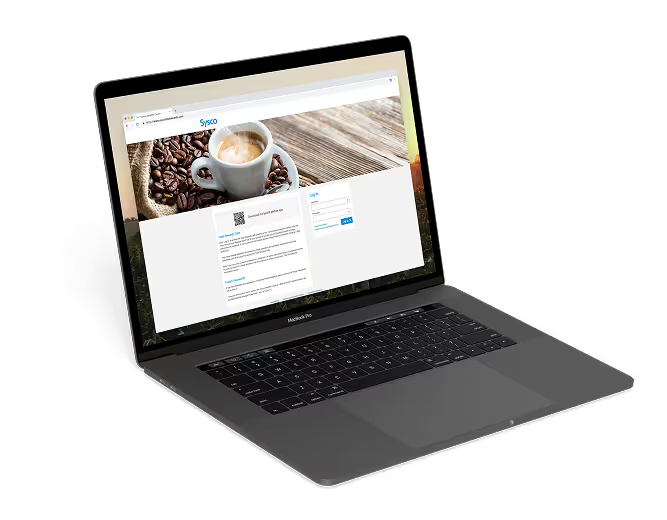
Access the online Sysco Benefits Center to review, change, or enroll in benefits. ChatBot and Live Chat is also available for assistance from a live agent.
Call the Sysco Benefits Center at 1-800-55-SYSCO (1-800-557-9726) with benefits questions. Translators are available.